The open-source alternative to OpenAI dots, Grok Bot and Siri AI
Your new favorite coworkers.
A team of AI teammates that works in your own Mail, Calendar and Notes, on your Mac. Give each a name, a face and a job. They ask before anything important. Free and private: the app costs nothing, and you only pay for the AI you choose.
For Mac · Open source (MIT) · Free to use · Works with the AI you already have
Make your own teammate.
No presets you’re stuck with. Pick a face, a color, a name and a job — just like in the app. Try it:
Six faces, any color — the same characters as in the app.
Finds things out. Fast.
Ask anything that needs a search. A research teammate reads the web, compares what it finds and brings back the answer — with a link for every fact.
- Sources for everything
- Says so when it can’t check something
Makes real files.
Not just a wall of chat. Ask for a document, a spreadsheet or a plan and your writer hands you a file you can open, print or send.
- Word, Excel and more
- Reads the PDFs you drop in
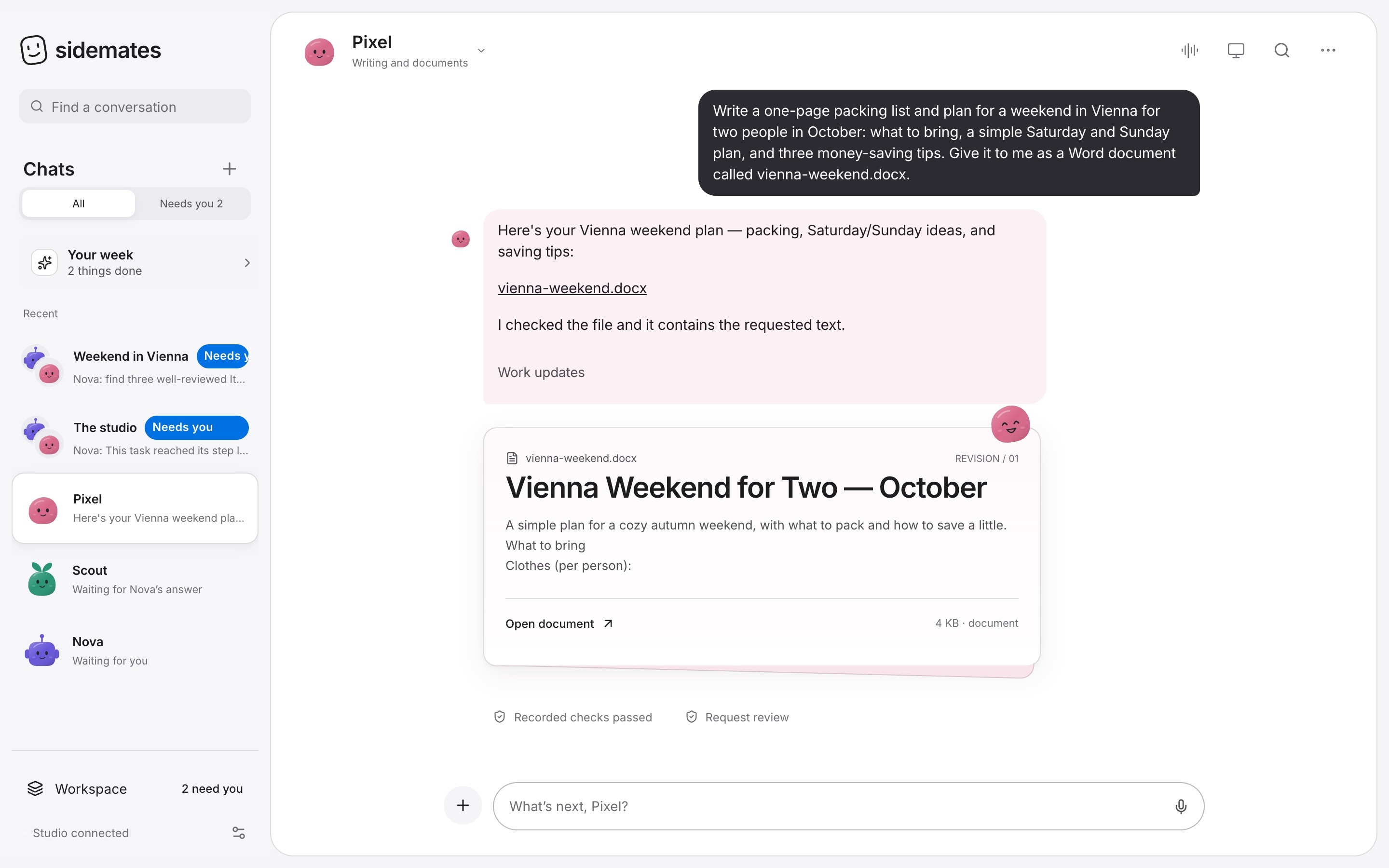
 📄 vienna-weekend.docx
Checks. Then asks.
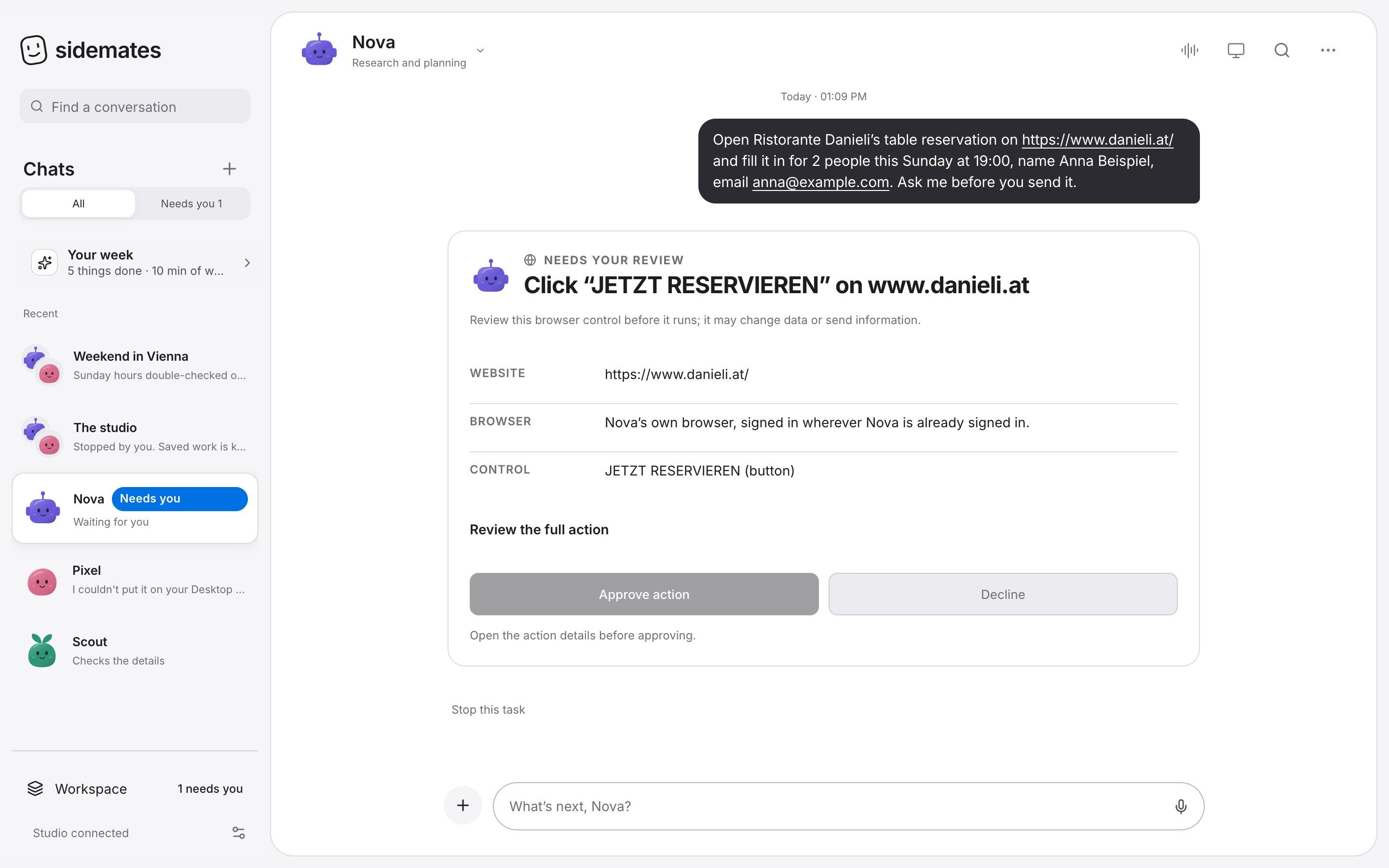
A checker double-checks the details. And by default nobody on your team sends, books, buys or signs in without your okay — you see the exact button first. Trust someone completely? Turn on Autopilot for them and they act like a person, no questions asked.
- You approve the important stuff, unless you choose Autopilot
- Say no and they finish without it
Works in your own apps.
Cloud assistants can’t see your Mac. Your team can: it finds the email, saves the file, adds the reminder — in your own Mail, Calendar and Notes. And by default it asks before it changes anything.
- Calendar
- Reminders
- Notes
- Contacts
- Shortcuts
- Siri
- “Hey Siri, ask Nova to…”
- Emails are only drafted — you press Send
Finds anything on your Mac.
“What did Anna say about the Berlin trip?” Your team searches your own notes, mail, messages and folders, then answers and tells you where it found it. You choose what they can see, and you can make them forget it all.
- Notes
- Messages
- Files
- The index stays on your Mac, readable only by you
- One tap to forget everything
From Messages with Anna, 10 Sept · and your note “Berlin trip plan”
Ask once. They team up.
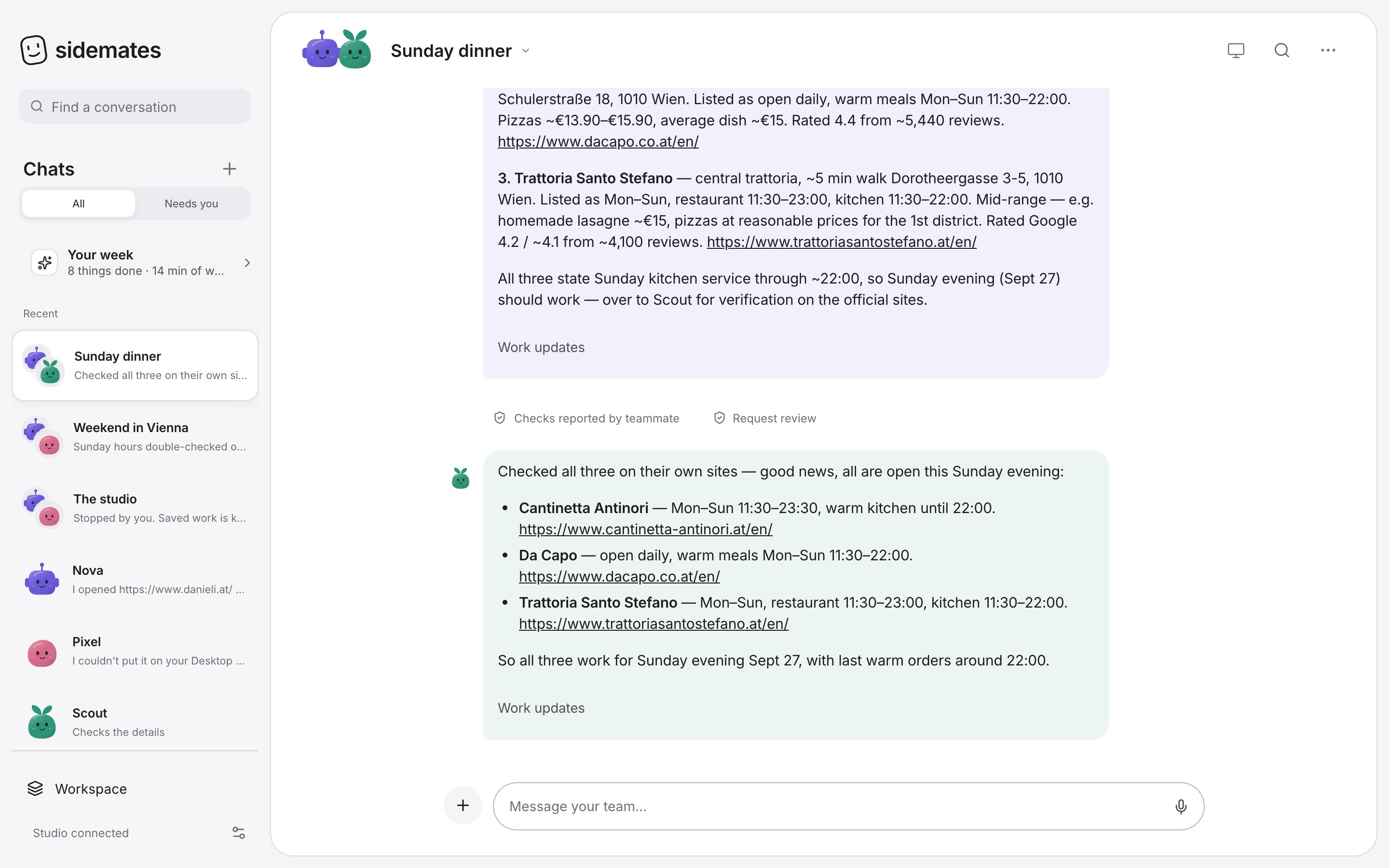
Talk to them like a group chat. When Scout needs Nova’s answer, Scout waits for it — like a real team.
A real run on 25 September 2026, shortened. Hours and prices from the restaurants’ own websites.
- Cantinetta Antinori — right at Stephansplatz. Mon–Sun 11:30–23:30. Pasta about €19–31.
- Da Capo — 2 min away. Kitchen daily 11:30–22:00. Pizzas about €14–16.
- Trattoria Santo Stefano — 5 min walk. Mon–Sun 11:30–23:00. Lasagne about €15.
$0
Free. Like, actually free.
Other AI agents rent you their computer every month. Sidemates runs on yours and uses the AI you already have — even a free one.
Bring the AI you already have.
Sign in once, or paste a key, and the whole team can use it. Or give each teammate a different one.
One line.
About a minute.
No account and no password. Sidemates opens by itself and lives in your Dock.
curl -fsSL - 1Open Terminal: ⌘ Space, type “Terminal”, ↩
- 2Paste with ⌘ V, press ↩
- 3Say hi to your team 👋
macOS 13 or later. Checks the download’s fingerprint, never asks for your password. Read the installer · remove any time with uninstall.sh.
~ % curl -fsSL https://sidemates.app/install.sh | sh

Installing Sidemates — your team of AI teammates, on your Mac.

• Downloading Sidemates for this Mac…
• Unpacking…
• Starting Sidemates in the background…
• Opening your studio.....
• Adding Sidemates to your Applications and Dock…

Sidemates is installed. It’s opening in your browser now.
~ %
Good questions.
Is it really free?
Yes. Sidemates is free, open-source software. Your team uses an AI you connect, and Sidemates never charges anything on top.
Does my stuff leave my Mac?
Your team, chats and files live on your Mac. When a teammate works, what it needs goes to the AI you picked. Choose a model on your Mac to keep everything local.
What do they do without asking?
Search, read, write and make files in their own workspace. Anything that sends, books, buys, signs in or submits waits for you, unless you turn on Autopilot for a teammate you trust.
Does it work while my Mac sleeps?
They work while your Mac is on, and Sidemates keeps it awake when a scheduled job is due. It can also run on a computer that’s always on.
Can I use it on my iPhone?
Yes. Pair your iPhone with one scan to chat, get notified and approve things from your Home Screen.
Why Terminal?
It lets us give you a free Mac app without a paid Apple certificate. It downloads from our public GitHub releases, checks the fingerprint and never asks for your password.